Down the SQLite Rabbit Hole: Debugging FTS5 Logic in a Python Recipe App
My step-by-step journey of debugging Full-Text Search (FTS) in a Python recipe management app.
Background
As I mentioned in this post, I have been building a recipe management app for myself and other potential users. During this journey, I have discovered and learned many things. This post documents one of those findings and lessons.
For prototyping purposes, I have been using Python 3.13 as the main programming language. In addition, SQLite is used as the primary data storage for this private, local-first app.
One of the MVP features I am implementing is searching for recipes, in particular, I am implementing FTS (Full Text Search). To achieve that, I am taking advantage of SQLite’s FTS5 functionality.
TL;DR and TIL
- With Python 3.13, you have access to SQLite’s powerful extensions (like
json1andfts5) by default. - Do not forget to
COMMITtransactions on SQLite’s virtual tables. - Be careful when storing
UUIDs: make sure the format is consistent across the application. The easiest way is to have a centralized normalization function and always normalizeUUIDs before storing data. - For multi-language, user-friendly FTS search support, you may need to consider different tokenizers and various FTS5 query syntax in SQLite. In particular, I found prefix queries and boolean operators useful for providing a more user-friendly search experience, while the
jiebatokenizer is used to support tokenizing East Asian languages.
Setting Up FTS with SQLite and Python
In the past, Python’s sqlite3 module in the standard library did not support useful SQLite extensions like json1 and fts5 by default. To use these powerful additions, you either compile (with some compile-time options enabled, like -DSQLITE_ENABLE_FTS5) and build the amalgamation version of SQLite together with your project, or compile and build the extension modules (like json1.so or fts5.so) and load them at runtime with your application.
Fortunately, these tedious steps are no longer needed if you’re using a ‘newer’ version (3.10+) of Python. The sqlite3 module in Python 3.13 is built with SQLite 3.47 together with the json1 and fts5 extensions by default. In other words, you can access these powerful extended features directly by using newer versions of Python 3!
To be sure, I tried the following in an SQLite in-memory database in Python:
1
2
3
4
5
6
7
8
9
10
11
12
13
14
15
16
17
if __name__ == '__main__':
    # Example service layer usage and testing of FTS functionalities

    from sqlmodel import create_engine, SQLModel

    engine = create_engine('sqlite:///:memory:')
    SQLModel.metadata.create_all(engine)

    with engine.connect() as conn:
        conn.exec_driver_sql("""
        CREATE VIRTUAL TABLE IF NOT EXISTS recipe_fts USING fts5(
            recipe_id UNINDEXED,
            name,
            text
        );
        """)
        conn.commit()
If running the code above doesn’t crash and a virtual table recipe_fts is created in the database, then the FTS5 feature is available in your Python version.
Debugging Journey
The simple test above assured me my application can use the FTS feature directly. The FTS5 table recipe_fts is visible in the database. However, after adding some recipes via the UI of the application, recipe_fts table is empty, what’s going on?
The simple test above assured me that my application can use the FTS feature directly. The FTS5 table recipe_fts is visible in the database. However, after adding some recipes via the UI, the recipe_fts table is empty. What’s going on?
First Bug
Okay, let’s take a step back. Let’s make sure I can add data into the FTS table with my existing code in the in-memory SQLite database first. By extending the testing code above, I got the following:
1
2
3
4
5
6
7
8
9
10
11
12
13
14
15
16
17
18
19
20
21
22
23
24
25
26
27
28
29
30
if __name__ == '__main__':
    # Example service layer usage and testing of FTS functionalities

    from sqlmodel import create_engine, SQLModel
    from services import create_recipe, search_recipes_fts
    from models import Recipe

    engine = create_engine('sqlite:///:memory:')
    SQLModel.metadata.create_all(engine)
    create_fts_table(engine)

    # Create test recipe data
    recipe1 = Recipe(
        name='Garlic Chicken',
        style='Asian',
    )

    recipe2 = Recipe(
        name='Tomato Pasta',
        style='Italian',
    )

    with Session(engine) as session:
        create_recipe(session, recipe1, device_id='test-device')
        create_recipe(session, recipe2, device_id='test-device')

        print("Data in 'recipe_fts':")
        results = session.connection().execute(text('SELECT * FROM recipe_fts')).fetchall()
        for r in results:
            print(f'- {r.name} ({r.style})')
create_recipe is a function defined in the service layer of the application. It does exactly what it says: it creates a recipe. In addition to creating recipe data in regular SQLite tables, this function also upserts corresponding recipe data into the recipe_fts virtual table.
That means, if everything works, we should see data in the recipe_fts table after running this code.
1
2
$ uv run fts.py
Data in 'recipe_fts':
Uh-oh … that’s not the case. There are bugs in this function already!
After some more investigation, I realized that I forgot to commit the transactions applied to the FTS table. It was my first time using the SQLModel library. I did not forget to commit transactions on regular SQLite tables, but somehow forgot to do the same for FTS tables.
The fix is easy. Just commit:
1
session.commit()
Now if I run the code above again, I can see data in the recipe_fts table.
1
2
3
4
5
6
7
$ uv run fts.py
Building prefix dict from the default dictionary ...
Loading model cost 0.664 seconds.
Prefix dict has been built successfully.
Data in 'recipe_fts':
- Garlic   Chicken (Asian)
- Tomato   Pasta (Italian)
Second Bug
Cool, let’s try the FTS search via the UI. Oops, no search results are found! Now what?
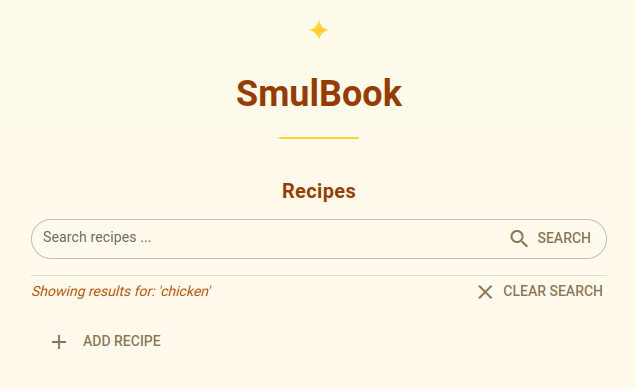 Empty Search Results
Apparently, there are problems with the FTS search functionality. Let’s debug by exercising the FTS search function search_recipes_fts defined in the service layer of the application:
1
2
3
4
5
6
7
8
9
10
11
12
13
14
15
16
17
18
19
20
21
22
    ...
    # Code omitted ...

    with Session(engine) as session:
        create_recipe(session, recipe1, device_id='test-device')
        create_recipe(session, recipe2, device_id='test-device')

        print("Data in 'recipe_fts':")
        results = session.connection().execute(text('SELECT * FROM recipe_fts')).fetchall()
        for r in results:
            print(f'- {r.name} ({r.style})')
        print()

        print("Search results for 'chicken':")
        results = search_recipes_fts(session, 'chicken')
        for r in results:
            print(f'- {r.name} ({r.style})')

        print("\nSearch results for 'pasta':")
        results = search_recipes_fts(session, 'pasta')
        for r in results:
            print(f'- {r.name} ({r.style})')
1
2
3
4
5
6
7
8
9
10
$ uv run fts.py
Building prefix dict from the default dictionary ...
Loading model cost 0.664 seconds.
Prefix dict has been built successfully.
Data in 'recipe_fts':
- Garlic   Chicken (Asian)
- Tomato   Pasta (Italian)

Search results for 'chicken':
Search results for 'pasta':
It cannot find any recipes in the index?! Strange. How is the FTS search performed in the code?
1
2
3
4
5
6
7
8
9
stmt = select(RecipeTable).from_statement(
    text("""
    SELECT r.*
      FROM recipe_fts f
      JOIN recipes r ON r.id = f.recipe_id
     WHERE recipe_fts MATCH :query
  ORDER BY bm25(recipe_fts)
    """).params(query=query)
)
I noticed that the regular SQLite table recipes and the FTS table recipe_fts are joined on id and recipe_id, respectively. Then I checked their ID columns in the database:
1
2
3
4
5
6
7
8
9
10
sqlite> select id from recipes;
id
--------------------------------
123e4567e89b12d3a456426614174000
1acd71bf971b4b2984ebd78c33d4f465
29f993016d41474f8338786f1ed7127b
749ff44fd8b249aab965aee9a391118d
7f5484009cdd4de68b952048dedbaf32
b2f2fb808bb34a1a8067c0637c49d519
de0a8133759f44b3904212ea2e74acf6
and
1
2
3
4
5
6
7
sqlite> select recipe_id from recipe_fts;
recipe_id
--------------------------------
7f548400-9cdd-4de6-8b95-2048dedbaf32
b2f2fb80-8bb3-4a1a-8067-c0637c49d519
749ff44f-d8b2-49aa-b965-aee9a391118d
de0a8133-759f-44b3-9042-12ea2e74acf6
Boom! The IDs are mismatched! That’s why there is no data in the search results! It turned out the UUID4s I stored in the database had inconsistent formats. In the FTS table, I forgot to ‘normalize’ the IDs.
The fix is also straight-forward:
1
id=normalize_uuid(recipe.id),
After the fix, the same code run just fine:
1
2
3
4
5
6
7
8
9
10
11
12
13
$ uv run fts.py
Building prefix dict from the default dictionary ...
Loading model cost 0.664 seconds.
Prefix dict has been built successfully.
Data in 'recipe_fts':
- Garlic   Chicken (Asian)
- Tomato   Pasta (Italian)

Search results for 'chicken':
- Garlic Chicken (Asian)

Search results for 'pasta':
- Tomato Pasta (Italian)
Now let me try the search in the UI:
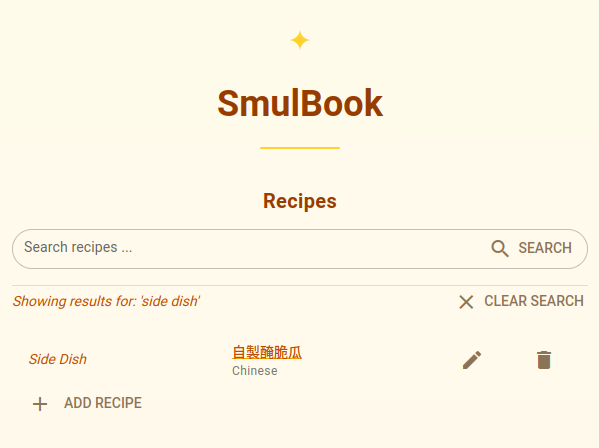 Search Results in English
Third Bug (sort of)
FTS search is working! Now let me try one more thing: search with Chinese characters. I need this functionality because I have recipes data in Chinese.
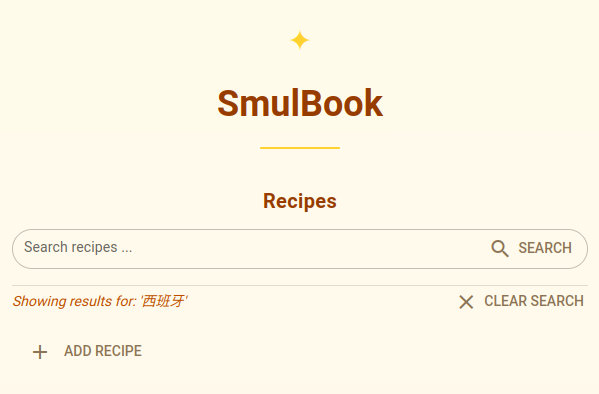 Empty Search Results in Chinese
What?! The search returns empty results. Why?
After some research and the help from Google’s Gemini, I realized that I need a different tokenizer for building the FTS index. One of the tools suggested by Gemini was the jieba tokenizer for East Asian languages.
Please note that jieba is an application-level tokenizer, not the built-in tokenizer in the FTS5 extension in SQLite. So I had to implement some code to tokenize the text before inserting into FTS index:
Please note that jieba is an application-level tokenizer, not the built-in tokenizer in FTS5 extension in SQLite. So I had to implement code to tokenize the text before inserting it into the FTS index:
1
2
3
4
5
6
7
8
9
10
11
12
13
14
def normalize_text_for_fts(text: str) -> str:
    """Normalize input text by using jieba to tokenize Chinese text
    and removing punctuation, while also collapsing multiple spaces into one.
    """

    if not text:
        return ''

    tokens = jieba.cut(text)
    result = ' '.join(tokens)

    # Remove punctuation that might mess up FTS5 syntax
    result = re.sub(r'[^\w\s]', ' ', result.strip())
    return result
and in function upsert_recipe_fts, I adapted the INSERT statement:
1
2
3
4
5
6
7
8
9
10
11
12
13
14
    session.connection().execute(
        text("""
        INSERT INTO recipe_fts (recipe_id, name, style, category, ingredients_text, instructions_text)
             VALUES (:id, :name, :style, :category, :ingredients, :instructions)
        """),
        {
            'id': recipe.id,
            'name': normalize_text_for_fts(recipe.name),
            'style': normalize_text_for_fts(recipe.style),
            'category': normalize_text_for_fts(recipe.category),
            'ingredients': normalize_text_for_fts(ingredients_text),
            'instructions': normalize_text_for_fts(instructions_text),
        },
    )
In addition to using the jieba tokenizer, I also augment the user input search query to make it more flexible. Specifically, I incorporate prefix queries and boolean operators in the query string to make the search functionality more user-friendly.
Now I can also search for Chinese characters:
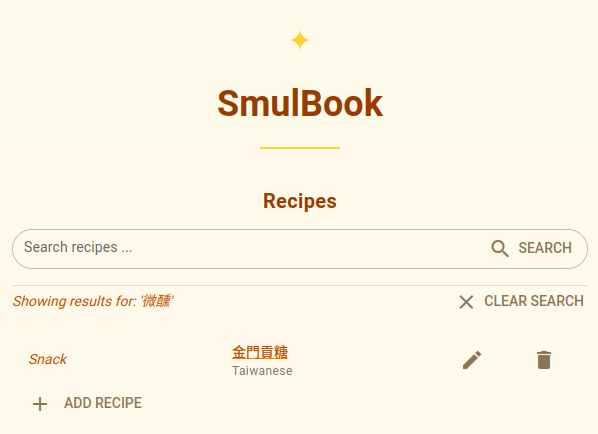 Search Results in Chinese
Now my recipe management app has fully functional FTS search 🎉🎉🎉